
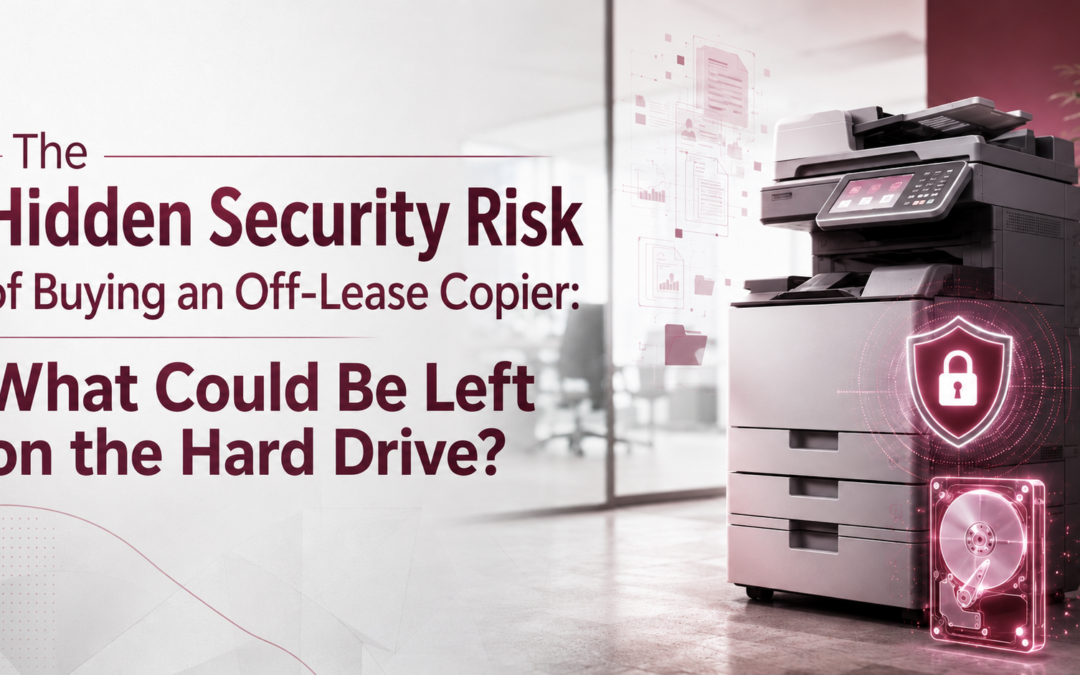
Buying an off-lease copier can look like a smart way to reduce office equipment costs. The machine may have a relatively low meter count, a recognizable brand name, and a price considerably lower than new equipment. However, there is another question businesses should ask before purchasing a used multifunction printer:
What happened to the previous owner's data?
Today's copiers and multifunction printers are more than office appliances. They are sophisticated network-connected devices capable of copying, scanning, printing, emailing, faxing, authenticating users, and processing sensitive business information.
Depending on the device and its configuration, some of that information may pass through or be stored on internal drives or other storage media.
Therefore, when purchasing an off-lease copier, businesses shouldn't evaluate only its age, condition, meter count, and price. They should evaluate its data history and security as well.
A CBS News Investigation Exposed the Risk
The potential security issue surrounding used copiers gained national attention in 2010 when CBS News investigated what could remain on the hard drives of previously owned machines.
CBS visited a New Jersey warehouse containing approximately 6,000 used copiers waiting to be resold. Investigators purchased four machines and examined their hard drives, recovering sensitive information associated with previous users.
The investigation became even more serious when one of the machines was traced to healthcare organization Affinity Health Plan. Following the discovery, Affinity notified 409,262 individuals that their personal or medical information potentially could have been compromised. That investigation happened more than a decade ago, and copier security technology has advanced considerably since then.
Nevertheless, the underlying lesson remains relevant: Businesses should never assume that data on a previously used copier has been properly removed.
Your Copier Is More Like a Computer Than You May Realize
When employees think about cybersecurity, they usually think about laptops, servers, smartphones, email accounts, and firewalls.
The copier down the hall may not immediately come to mind.
Yet the Federal Trade Commission specifically advises businesses to include digital copiers in their information-security plans. According to the FTC, copier hard drives may contain information related to documents that have been copied, printed, scanned, faxed, or emailed.
That means an MFP may process documents containing:
- Employee information
- Customer records
- Financial statements
- Contracts
- Tax documents
- Payroll information
- Medical information
- Insurance records
- Legal documents
- Personally identifiable information
- Proprietary business information
Consequently, organizations should think of a multifunction printer as another endpoint within the IT environment, not simply as a machine that puts toner on paper.
What Happens When a Copier Comes Off Lease?
Many businesses lease their copiers rather than purchase them outright. Eventually, that lease ends. The equipment may then be returned to the leasing company, dealer, wholesaler, or remarketing organization. From there, the machine might be refurbished and sold or leased to another organization.
The FTC specifically notes that digital copiers are often leased, returned, and subsequently leased again or sold. As a result, businesses need to consider copier data security throughout the entire equipment lifecycle—not just while the copier is sitting in their office.
That lifecycle might look something like this:
Business A leases copier → lease expires → copier is returned → machine is refurbished or remarketed → Business B purchases the off-lease copier
The critical security question sits between Business A and Business B:
Was Business A's information securely removed before Business B received the machine?
The Problem Isn't That the Copier Is Used
This distinction is important. An off-lease or refurbished copier is not automatically a security risk. A properly maintained, securely sanitized, correctly configured machine may be an appropriate choice for some organizations.
Instead, the risk comes from not knowing the history of the equipment or the security procedures followed before it was resold. For example, simply deleting files is not necessarily the same thing as securely sanitizing storage media.
The National Institute of Standards and Technology (NIST) defines media sanitization around rendering access to data on storage media infeasible for an appropriate level of effort. Its guidance helps organizations develop processes for sanitizing media based on the sensitivity of the information involved.
Therefore, businesses purchasing off-lease equipment should be asking how the seller addressed stored data—not merely whether someone performed a factory reset.
The Question Most Copier Buyers Never Think to Ask
When shopping for a used copier, a buyer will naturally ask questions such as:
- How old is the copier?
- What's the meter count?
- How much does it cost?
- Does it include a warranty?
- Are parts still available?
- How much will toner cost?
All of those questions matter. However, there is another question that belongs on the list: What happened to the previous owner's data?
Before purchasing off-lease equipment, the seller should be able to explain how the machine was prepared for resale. If the answer is unclear, that's a reason to investigate further.
7 Security Questions to Ask Before Buying an Off-Lease Copier
Before putting a previously owned copier on your business network, ask the equipment provider these questions.
1. Was the copier's internal storage securely sanitized?
Don't assume that resetting the copier's settings means its underlying storage was properly sanitized.
Ask what procedure was performed before the machine was offered for resale.
2. What sanitization method was used?
Ask the provider to explain how previous data was erased and whether that method is appropriate for the particular type of storage installed in the machine.
3. Can the seller document the sanitization process?
For organizations dealing with sensitive information, documentation can be particularly important.
A reputable provider should be able to explain its process for preparing previously used equipment.
4. Does the copier support data encryption?
Modern business MFPs can include significantly stronger security features than earlier generations of copiers.
For example, current Toshiba security materials describe protections that can include hard-drive encryption, firmware safeguards, BIOS protection, Trusted Platform Module technology, and storage-wipe capabilities, depending on the device.
Ask which security capabilities are available on the specific machine you're considering—not simply what the manufacturer offers on newer products generally.
5. Is automatic data overwrite available and enabled?
Some multifunction devices can overwrite temporary data associated with print, scan, copy, or fax activity.
The FTC has specifically recommended taking advantage of available copier security features and addressing hard-drive overwriting as part of an organization's data-security practices.
However, features vary by model and configuration. Verify what the actual machine supports and whether those settings have been enabled.
6. Has the firmware been updated?
Copiers are network-connected devices, so outdated firmware deserves the same attention as outdated software on other business technology.
Ask whether the device is still supported by the manufacturer and whether current security updates can be installed.
7. Were previous network settings and user information removed?
Hard-drive contents aren't the only concern.
Before deployment, the device should also be checked for information such as old address books, stored destinations, authentication settings, network configurations, user accounts, and other remnants from its previous environment.
Would You Buy a Used Computer Without Wiping the Hard Drive?
Here's another way to think about the issue. Imagine purchasing a used laptop from another business.
Before connecting it to your company network, you'd probably want to know:
- Was the previous company's information removed from the hard drive?
- Was the operating system properly configured?
- Is the device secure?
- Does it still contain old user accounts or credentials?
Most IT departments wouldn't simply plug the laptop into the network without checking. A used business copier deserves similar consideration.
Although the technologies aren't identical, both are computing devices capable of processing valuable organizational information.
Modern Copier Security Has Improved Significantly
The CBS investigation remains a valuable example of what can happen when copier data isn't handled correctly. However, businesses shouldn't interpret a 2010 investigation as evidence that today's multifunction printers operate exactly the same way.
Modern enterprise MFPs can offer substantial security protections. Depending on the manufacturer and model, those capabilities may include:
- Hard-drive or storage encryption
- Automatic data overwrite
- Secure print release
- User authentication
- Role-based access
- Firmware protection
- BIOS security
- Network security controls
- Audit capabilities
- Storage sanitization features
For example, Toshiba currently highlights protections such as hard-drive encryption, BIOS protection, and safeguards against unauthorized firmware as part of its MFP security architecture.
However, having security capabilities and properly configuring those capabilities are two different things. That's why the equipment provider matters.
Healthcare Organizations Should Pay Particular Attention
The issue becomes especially important for healthcare providers because copiers and printers routinely process documents containing sensitive patient information (HIPAA compliance).
Consider how many documents move through a medical practice's MFP:
- Patient intake forms
- Insurance information
- Lab reports
- Referrals
- Prescriptions
- Medical records
- Billing information
- Copies of identification cards
The FTC specifically recommends that organizations include digital copiers within their broader information-security programs and consider how copier data is protected when equipment is acquired, used, returned, or disposed of.
Healthcare organizations, law firms, financial organizations, government agencies, and other businesses handling confidential information should therefore evaluate the data-security history of off-lease equipment carefully.
Don't Forget About the Copier You're Returning
There's another side to this issue. Businesses shouldn't only worry about the off-lease copier they're buying. They also need to think about the copier they're returning.
At the end of a lease, ask your copier provider:
- What happens to our copier when it leaves our office?
- How will the storage media be sanitized?
- Can data be overwritten or securely erased?
- Is drive removal available when appropriate?
- Can we receive documentation of the process?
The FTC recommends addressing these issues before a copier is returned or disposed of rather than waiting until the machine is already leaving the organization. Ideally, end-of-lease data security should be discussed before the lease is signed.
Buying an Off-Lease Copier? Look Beyond the Purchase Price
An inexpensive copier isn't a bargain if it introduces an unnecessary security risk. At the same time, businesses don't need to automatically eliminate refurbished or off-lease equipment from consideration. Instead, make an informed decision.
Before purchasing, understand:
- Where did the equipment come from?
- How was previous data handled?
- What security capabilities does the device support?
- Is the manufacturer still supporting it?
- Who will configure and maintain it?
- What happens to your data when you're finished with it?
The answers to those questions can be just as important as the copier's price and meter count.
Make Copier Security Part of Your Technology Strategy
Office printers and multifunction devices shouldn't be separated from your organization's cybersecurity strategy. They connect to your network. They interact with users. They process documents. And, depending on the device, they may contain storage capable of retaining information.
Therefore, whether you're evaluating a new copier, a refurbished machine, or an off-lease device, look beyond the purchase price and consider the entire equipment lifecycle.
DDL Business Systems can help businesses evaluate office equipment based on productivity, operating costs, security, service requirements, and long-term fit—not simply the price of the machine.
Considering new or off-lease copier equipment?
Schedule a Free Office Technology Assessment with DDL Business Systems and make sure you're asking the right questions before putting another device on your network.
Recent Comments