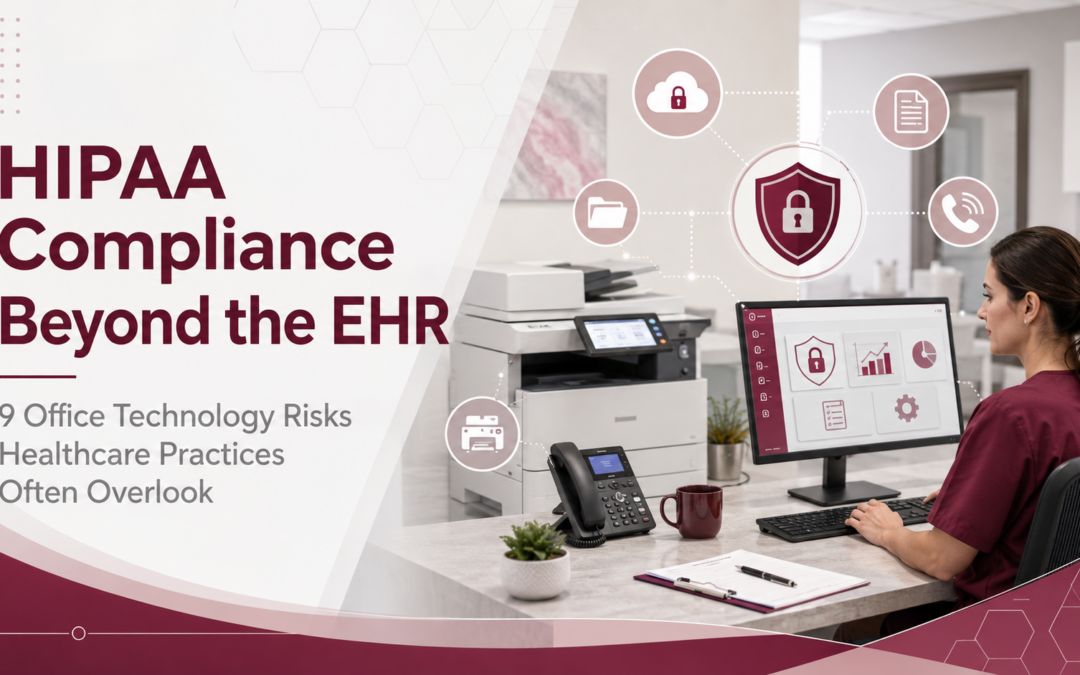
Healthcare organizations depend on electronic health record systems to manage patient information, coordinate care and document clinical activity. However, an EHR is only one part of a much larger technology environment. Patient information may also pass through printers, copiers, scanners, email accounts, shared folders, phone systems, employee laptops and backup platforms. As a result, healthcare practices that focus only on the security of their EHR may overlook other systems that create, receive, maintain or transmit electronic protected health information.
The HIPAA Security Rule requires regulated organizations to use reasonable and appropriate administrative, physical and technical safeguards to protect electronic protected health information, commonly known as ePHI. In addition, HHS explains that a risk analysis should account for all ePHI within an organization—not only the information stored inside the EHR.
Therefore, physician practices, clinics, specialty providers and other healthcare organizations should examine their complete office technology environment. The following nine risks are frequently overlooked during technology and security planning.
Important: This article provides general information and should not be considered legal advice. Healthcare organizations should consult qualified legal and compliance professionals regarding their specific HIPAA responsibilities.
1. Network-connected printers and copiers
Printers and multifunction copiers are sometimes treated as basic office equipment. In reality, modern devices often function more like network-connected computers. For example, a multifunction device may print, copy, scan, email documents, connect to cloud platforms and temporarily store document images. Furthermore, it may have user accounts, administrative settings, firmware and an internal hard drive.
Consequently, an unsecured device could create several risks:
- Printed patient documents may remain unattended in an output tray.
- Users may scan information to the wrong email address.
- Default administrator passwords may remain unchanged.
- Outdated firmware may contain known vulnerabilities.
- Unauthorized users may gain access to device functions.
- Stored print or scan information may remain on the device.
Healthcare practices should evaluate whether their equipment supports appropriate security features, such as user authentication, secure print release, access controls, encryption, automatic data-overwrite capabilities and activity tracking. However, those features must also be configured correctly and supported by written procedures.
A Managed Print Services program can help an organization gain better visibility into its printers and copiers. In addition, proactive maintenance and fleet oversight can make it easier to identify aging, unnecessary or poorly managed devices.
Healthcare organizations can learn more in DDL’s guide to HIPAA-friendly printing best practices.
2. Copier hard drives that are not properly cleared
The risk associated with a copier does not end when the lease expires. Many multifunction devices contain hard drives or other storage components. Therefore, information may remain on a device when it is returned, traded, resold or removed from service.
This is not simply a theoretical concern. In one HHS enforcement case, a health plan returned photocopiers without erasing protected health information from their hard drives. According to HHS, the devices contained information involving as many as 344,579 individuals. The organization also failed to include the copier hard drives in its security risk analysis.
Before equipment is returned or disposed of, healthcare practices should determine:
- Whether the device contains internal storage
- What information may have been retained
- Whether the data can be securely erased
- Who is responsible for completing the data-clearing process
- How the organization will document that the process was completed
- Whether the storage device should be removed or physically destroyed
HHS also states that electronic media containing ePHI should not be reused or disposed of until appropriate steps have been taken to remove the information or destroy the media. For that reason, equipment disposal and lease-return procedures should be part of the organization’s overall technology lifecycle—not an afterthought.
3. Unsecured scanning, email and electronic fax workflows
Healthcare employees frequently scan insurance cards, referrals, test results, authorizations and other patient documents. Nevertheless, the security of that information depends on what happens after the document is scanned.
For example, staff members may:
- Scan documents to personal email accounts
- Select the wrong recipient from an address book
- Store documents in an unsecured network folder
- Download files to an unmanaged workstation
- Send sensitive attachments without approved safeguards
- Leave scanned files in a public or departmental inbox
- Use consumer-grade file-sharing tools without authorization
Even when the scanner itself is secure, the resulting workflow can still expose patient information.
Therefore, healthcare organizations should map the entire document path. The review should begin when a document is received and continue through scanning, routing, storage, access, retention and final disposal.
A centralized document management solution may help reduce reliance on email attachments, disconnected folders and paper files. Depending on the selected platform and configuration, organizations may also be able to use role-based permissions, controlled workflows, document indexing and activity histories.
However, technology alone is not enough. Written policies and employee training must clearly explain which scanning and sharing methods are approved.
Is Your Office Technology Protecting Patient Information?
DDL can review printers, document workflows, user access, backups and cybersecurity controls to help identify technology risks outside your EHR. Explore Healthcare Technology Solutions →
4. Disorganized document storage and excessive access
Patient information is not always stored in the EHR. Instead, it may be scattered across shared drives, employee desktops, email inboxes, paper charts and departmental folders.
As a result, an organization may not know:
- Where all patient information is located
- Who can access each folder
- Whether duplicate copies exist
- How long documents are being retained
- Whether former employees still have access
- Whether information can be retrieved during an audit or investigation
Disorganized storage also makes it harder to apply the principle of minimum necessary access. For instance, an employee may have access to an entire shared drive even though the person only needs a small number of documents to perform a specific job. HHS guidance emphasizes the importance of information-access management and technical access controls. Together, these safeguards are intended to limit access to ePHI to authorized users and systems with appropriate access rights.
Accordingly, healthcare practices should review folder permissions, document repositories and user roles regularly. In addition, access should be updated promptly when employees change positions or leave the organization. Document management can also support a more organized approach to storing, retrieving and routing information. Most importantly, it can reduce the number of uncontrolled copies spread across the organization.
5. Shared passwords and poorly managed user accounts
Shared login credentials may appear convenient in a busy medical office. However, they can make it difficult to determine who viewed, changed, printed or transmitted patient information.
Common account-management problems include:
- Multiple employees sharing one username
- Generic departmental accounts
- Weak or reused passwords
- Inactive accounts that remain enabled
- Former employees retaining access
- Excessive administrator privileges
- Remote access without sufficient authentication
- Missing or incomplete activity logs
The HIPAA Security Rule includes standards related to access controls, audit controls and verifying the identity of people or entities requesting access to ePHI. HHS guidance specifically addresses mechanisms for recording system activity and procedures for authenticating users. Therefore, each employee should generally have an individual account appropriate to that person’s responsibilities. Additionally, organizations should establish processes for approving, changing and terminating access.
A broader IT and cybersecurity assessment can help identify unmanaged accounts, weak access procedures, vulnerable endpoints and other security gaps. DDL’s IT solutions include areas such as network monitoring, endpoint protection, email security, backup and recovery, and vulnerability assessments.
6. Phishing emails and insufficient employee training
Cybersecurity software is important. Nevertheless, one employee clicking a convincing phishing link can place an entire healthcare environment at risk.
Phishing messages may imitate:
- Microsoft 365 password notifications
- EHR or patient-portal alerts
- Insurance providers
- Cloud document-sharing platforms
- Internal executives
- Technology vendors
- Delivery services
- Payroll or human resources systems
Moreover, attackers increasingly use text messages, fake collaboration invitations and fraudulent login pages to steal credentials. HHS has warned healthcare organizations about phishing, social engineering, malicious links and other common attack methods.
Although annual HIPAA training is important, employees also need practical cybersecurity education. They should know how to evaluate unexpected messages, inspect links, recognize fraudulent login pages and report suspicious activity.
For example, an effective program may include:
- Short, recurring training sessions
- Simulated phishing campaigns
- Training based on employee roles
- Immediate reporting procedures
- Follow-up education after failed simulations
- Clear instructions for verifying unusual requests
DDL’s security awareness training combines employee education with phishing simulations and risk reviews. As a result, organizations can identify patterns and reinforce safer behavior over time. Technology may block many threats. However, trained employees provide an additional layer of protection.
7. Missing, incomplete or untested backups
A healthcare practice may believe its information is protected because a backup system is in place. Unfortunately, having a backup is not the same as being able to recover information successfully.
Backup failures may occur because:
- Important systems were never included in the backup plan.
- Backups are connected to the same environment as production data.
- Storage capacity is insufficient.
- Backup jobs fail without generating an alert.
- Recovery credentials are unavailable.
- The organization has never performed a restoration test.
- Recovery times do not support patient-care needs.
- Ransomware encrypts both production files and accessible backups.
The HIPAA Security Rule’s contingency-planning requirements include maintaining a data backup plan. In addition, HHS identifies disaster recovery, emergency-mode operations, application criticality analysis and periodic testing as important parts of contingency planning.
Therefore, healthcare organizations should answer several important questions:
- Which systems and files contain ePHI?
- How frequently is the information backed up?
- Where are the backup copies stored?
- How quickly can critical systems be restored?
- Who is responsible for initiating recovery?
- When was the last successful restoration test?
- How will the practice continue operating during an outage?
A managed backup and recovery strategy can help healthcare practices monitor backup status, identify failures and prepare for technology disruptions. Even so, the recovery process should be tested rather than assumed.
8. Phone, voicemail and remote communication risks
Patient information can also be exposed through everyday communications. For example, employees may leave detailed voicemail messages, forward recordings to personal devices, discuss patients over unsecured connections or use unauthorized texting platforms. Similarly, remote employees may access communications from shared computers or poorly protected home networks.
When evaluating a business phone or communication system, healthcare organizations should consider:
- How voicemail messages are stored and accessed
- Whether messages are forwarded to email
- Whether call recordings are enabled
- Who can access recorded calls
- How long recordings and messages are retained
- Whether remote users must authenticate
- How mobile applications are managed
- Whether electronic fax workflows involve patient information
- Whether the vendor may create, receive, maintain or transmit PHI
Modern VoIP and business phone systems can improve flexibility and communication. However, healthcare organizations should evaluate each platform based on its intended use, configuration, security controls and contractual requirements.
In other words, a modern phone system is not automatically HIPAA compliant simply because it is cloud-based. The practice must evaluate the complete workflow and implement appropriate safeguards.
9. Technology vendors that are not fully evaluated
Healthcare organizations rely on many outside providers. These may include IT companies, cloud software vendors, copier service providers, document-storage platforms, phone providers and backup companies.
However, not every vendor relationship creates the same HIPAA responsibilities. A vendor may be considered a business associate when it performs services involving the creation, receipt, maintenance or transmission of protected health information on behalf of a covered entity. Consequently, healthcare organizations should determine whether a Business Associate Agreement is required before giving a vendor access to PHI or ePHI.
HHS provides guidance and a model Business Associate Agreement to help regulated organizations understand typical contractual provisions. Nevertheless, organizations should have their legal or compliance professionals review their specific relationships and agreements.
A vendor review should consider:
- Whether the vendor can access PHI or ePHI
- What security safeguards the vendor maintains
- How incidents and breaches are reported
- Whether subcontractors may access the information
- How data is returned or destroyed
- Whether access is logged
- What happens when the contract ends
- Whether the vendor’s services are included in the risk analysis
- Whether a Business Associate Agreement is necessary
Furthermore, healthcare practices should not assume that a vendor handles HIPAA requirements automatically. Responsibilities should be defined, documented and reviewed.
HIPAA compliance requires a complete technology view
Protecting patient information requires more than securing an EHR. Printers, copiers, scanners, documents, employee accounts, email platforms, phone systems, backups and outside vendors can all affect the confidentiality, integrity and availability of health information. Therefore, a strong HIPAA security strategy should include the entire office technology environment.
Healthcare organizations should begin by identifying where PHI and ePHI are created, received, stored and transmitted. Next, they should evaluate the risks associated with each device, system, user and vendor. Finally, they should implement reasonable safeguards, document their decisions and review their environment as technology and workflows change.
The HHS and Office of the National Coordinator for Health Information Technology offer a free Security Risk Assessment Tool designed to help small and medium-sized healthcare providers work through the risk-assessment process. However, HHS also cautions that using a checklist or protecting the EHR alone does not replace a complete risk analysis.
Strengthen your healthcare technology environment
DDL Business Systems helps physician practices, clinics, specialty providers and healthcare organizations evaluate the office technology that supports their daily operations. Our integrated solutions include:
- Business printers and multifunction copiers
- Managed Print Services
- Document management
- Managed IT and cybersecurity
- Backup and recovery solutions
- Security awareness training
- VoIP and business communications
- Responsive local technology support
Explore our healthcare technology solutions or schedule a technology assessment to identify potential gaps in your devices, documents, networks and workflows.
Schedule a Healthcare Technology Assessment
Protecting your patient’s information starts with understanding where your risks may be hiding. Contact DDL Business Systems to evaluate your office technology environment and develop recommendations based on your organization’s needs.
Recent Comments