
Why Businesses in Northern Virginia Are Rethinking Their Print Environment
Managing a printer fleet may seem simple at first. However, as organizations grow, their print environments often become increasingly complex, difficult to manage, and unnecessarily expensive.
In many cases, businesses lack clear visibility into how their printers are being used. As a result, they struggle to control costs, maintain efficiency, and protect sensitive information.
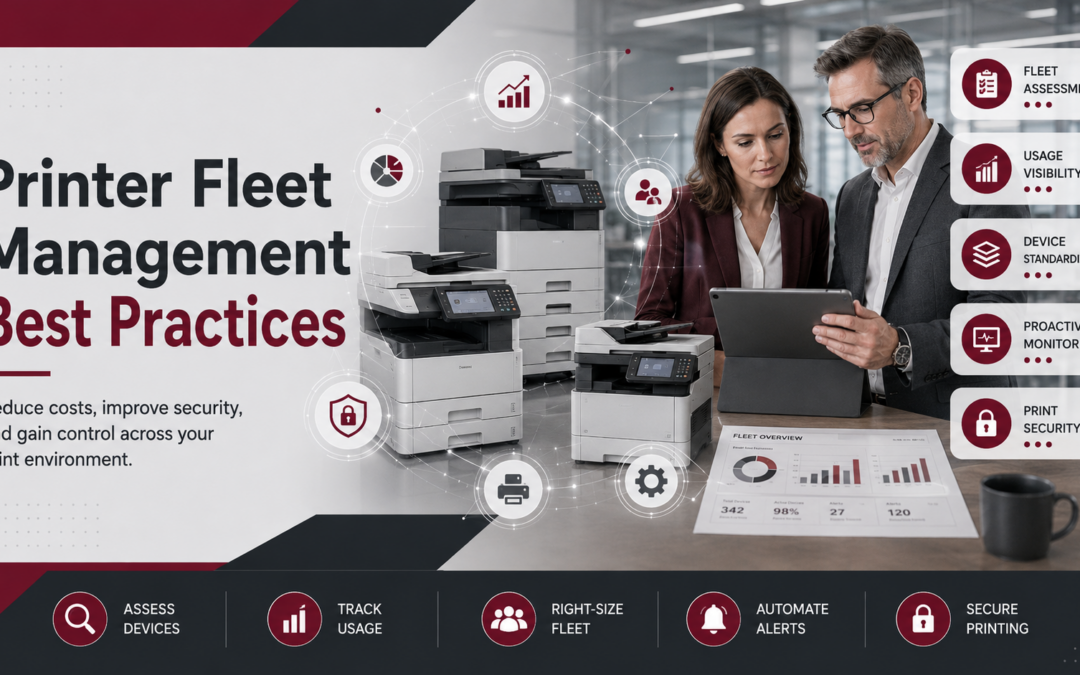
For this reason, implementing printer fleet management best practices is essential. By taking a more strategic and data-driven approach—often supported by Managed Print Services—organizations can reduce waste, improve productivity, and strengthen security across their entire print environment.
1. Conduct a Comprehensive Fleet Assessment
To begin improving your print environment, it is critical to first understand your current state. Without a clear baseline, it becomes nearly impossible to identify inefficiencies or opportunities for improvement.
A comprehensive fleet assessment should include:
- The number and types of devices
- Device locations
- Usage patterns
- Maintenance and supply costs
By gathering this information, you can uncover hidden inefficiencies and identify areas where your fleet may be oversized, underutilized, or outdated.
Ultimately, this step lays the foundation for every optimization decision that follows.
2. Gain Visibility into Print Usage
Once your fleet has been assessed, the next step is to analyze how your devices are actually being used. After all, without accurate usage data, decision-making becomes guesswork.
By implementing print monitoring tools, organizations can track:
- Print volume by user or department
- Color vs. black-and-white usage
- High-cost printing behaviors
As a result, businesses gain actionable insights that help reduce unnecessary printing and control costs more effectively.
Moreover, increased visibility allows IT teams to proactively address inefficiencies before they escalate into larger issues.
3. Standardize Devices and Print Policies
With better visibility in place, organizations can begin simplifying their print environment. In many cases, printer fleets consist of multiple brands, models, and configurations, which increases complexity and support costs.
Therefore, standardizing devices across the organization is a critical next step.
In addition, implementing consistent print policies—such as duplex printing or secure print release—helps enforce cost-saving behaviors and improve overall efficiency.
Consequently, standardization reduces IT workload while creating a more consistent user experience across all locations.
4. Optimize and Right-Size Your Fleet
After standardization, the next logical step is optimization. At this stage, organizations can evaluate whether they have the right number—and type—of devices in place.
In many environments, there are either too many printers or devices that are not aligned with actual usage needs.
By right-sizing your fleet, you can:
- Consolidate underused devices
- Upgrade outdated equipment
- Reallocate devices to better match demand
As a result, businesses can reduce costs while improving productivity and device performance.
Best practices from Agilico emphasize aligning device placement with real usage data to maximize efficiency.
5. Implement Proactive Monitoring and Automation
Rather than reacting to printer issues after they occur, modern fleet management focuses on proactive monitoring. By leveraging centralized management tools, IT teams can track device performance in real time.
For example, automated systems can:
- Send alerts for low toner levels
- Trigger maintenance requests
- Provide usage and performance reports
In addition, automation reduces the manual workload associated with managing a large fleet.
As a result, organizations can improve uptime while reducing administrative overhead.
6. Strengthen Print Security
As print environments become more connected, security must become a top priority. In fact, printers are now considered critical endpoints within the broader IT infrastructure. Without proper safeguards, they can expose sensitive data and create potential entry points for cyber threats.
To mitigate these risks, organizations should implement:
- User authentication (PIN, badge, or SSO)
- Secure print release
- Data encryption
- Regular firmware updates
- According to HP, unsecured printers can act as entry points into corporate networks if not properly protected. Ultimately, integrating print security into your overall cybersecurity strategy is essential.
7. Reduce Reliance on Desktop Printers
Although desktop printers may offer convenience, they often come with higher costs and limited visibility. In contrast, centralized devices are typically more efficient and easier to manage.
Therefore, reducing reliance on personal printers and implementing a managed print services protocol can significantly improve cost control and operational efficiency.
By transitioning to shared devices, organizations can:
- Lower supply and maintenance costs
- Improve monitoring and reporting
- Enhance security through controlled access
As a result, businesses gain greater control over their entire print environment.
8. Continuously Monitor and Improve
Finally, printer fleet management should be viewed as an ongoing process rather than a one-time initiative. As business needs evolve, so too should your print strategy.
For this reason, continuous monitoring and regular performance reviews are essential.
By consistently analyzing data and making incremental improvements, organizations can maintain an optimized, cost-effective, and secure print environment over time.
Conclusion
Effective printer fleet management goes beyond simply maintaining devices. Instead, it requires a strategic approach that combines visibility, standardization, optimization, and security.
By following these best practices, organizations can transform their print environment from a source of inefficiency into a streamlined, cost-saving asset.
If your organization lacks visibility or control over printing, now is the time to take a more proactive approach.
Frequently Asked Questions
What is printer fleet management?
Printer fleet management is the process of monitoring and optimizing all printers and copiers to reduce costs, improve efficiency, and enhance security.
How can businesses reduce printing costs?
Businesses can reduce printing costs by tracking usage, consolidating devices, automating supplies, and implementing print policies.
Are printers a cybersecurity risk?
Yes. Printers are network-connected devices and can be vulnerable entry points if not properly secured.
Recent Comments