
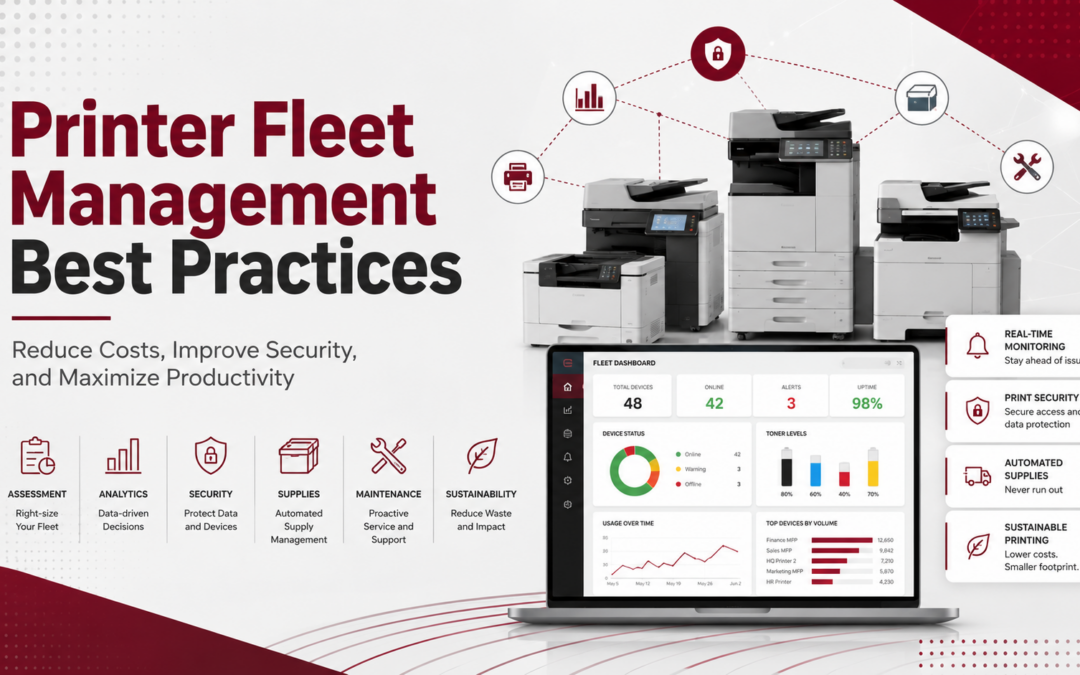
Reduce Costs, Improve Security, and Maximize Productivity
For many businesses, printers play an important role in daily operations. However, when print environments are unmanaged, costs can rise quickly. In addition, businesses may experience more downtime, weaker document security, and inefficient workflows.
Fortunately, printer fleet management best practices can help organizations gain better visibility into their print environment. As a result, businesses can reduce waste, improve productivity, and make smarter decisions about their office technology. The EPA’s ENERGY STAR program also notes that efficient imaging equipment and smart printing practices can help reduce energy use and operating costs
What Is Printer Fleet Management?
Printer fleet management is the process of monitoring, maintaining, optimizing, and securing all printers and multifunction devices throughout an organization. Instead of managing each device separately, businesses take a more strategic approach to their entire print environment.
With the right strategy in place, a managed printer fleet can help businesses reduce printing costs, improve uptime, strengthen document security, increase productivity, extend equipment life, and support sustainability goals.
A properly managed printer fleet can:
- Reduce printing costs
- Improve device uptime
- Strengthen document security
- Increase employee productivity
- Extend equipment lifespan
- Support sustainability initiatives
According to Xerox Managed Print Services Overview, organizations that actively manage their print environment often improve workflow efficiency while reducing unnecessary waste.
1. Conduct a Comprehensive Print Assessment
Before making changes, businesses should first understand how their current print environment is being used. A print assessment helps identify the total number of devices, monthly print volume, supply usage, maintenance costs, user habits, and device utilization.
Once this information is reviewed, organizations can uncover underused printers, redundant equipment, and opportunities to consolidate devices. As a result, they can make improvements based on real data instead of guesswork.
2. Right-Size Your Printer Fleet
Many organizations either have too many printers or rely on devices that are not designed for their actual workload. For example, a department that prints thousands of pages each month may be using a small desktop printer that was built for light use.
Therefore, businesses should evaluate monthly print volume, color versus black-and-white needs, scanning requirements, department-specific demands, and future growth plans. By matching the right device to the right workload, organizations can improve efficiency and reduce unnecessary costs.
3. Standardize Devices Across the Organization
Managing several printer brands and models can increase costs and create extra work for IT teams. Different devices often require different toner, drivers, maintenance processes, and support procedures.
Instead, standardizing devices across the organization can simplify printer fleet management. In addition, it can reduce training needs, speed up troubleshooting, and create a more consistent user experience for employees.
4. Implement Proactive Monitoring
One of the most effective printer fleet management strategies is remote monitoring. Modern fleet management tools provide visibility into toner levels, device status, service alerts, error codes, and print volumes.
Consequently, issues can often be addressed before they interrupt the workday. This proactive approach can help reduce downtime, improve service response times, automate supply fulfillment, and increase employee satisfaction.
5. Strengthen Print Security
Many organizations focus on network security but overlook printers as potential cybersecurity risks. However, today’s multifunction devices are network-connected endpoints. They can store, process, and transmit sensitive information.
To improve print security, businesses should enable user authentication, require secure print release, encrypt data transmissions, update firmware regularly, restrict administrative access, and monitor print activity.
In addition, businesses with compliance requirements should include printers in their broader cybersecurity strategy. Frameworks from the National Institute of Standards and Technology can help organizations think through authentication, access, and identity-related security controls (NIST)
6. Establish Print Policies
Without clear print policies, employee printing habits can quickly become expensive and inefficient. Therefore, businesses should create simple guidelines that support cost control and security.
Effective policies may include default duplex printing, black-and-white printing by default, limits on unnecessary color output, secure document disposal procedures, and department-level print quotas. Over time, these small changes can help reduce waste and create more consistent print behavior across the organization.
7. Automate Supply Management
Running out of toner at the wrong time can disrupt productivity and frustrate employees. For that reason, automated supply management should be part of every printer fleet strategy.
Automated systems can monitor toner levels, predict supply needs, trigger shipments, and reduce excess inventory. As a result, businesses can avoid last-minute supply issues while also reducing waste and unnecessary spending.
8. Schedule Preventive Maintenance
Many printer problems can be prevented with regular maintenance. Instead of waiting for a device to break down, businesses should schedule preventive service based on manufacturer recommendations and monthly print volume.
Preventive maintenance can help extend equipment life, improve print quality, reduce emergency service calls, and minimize downtime. Consequently, businesses can improve reliability while lowering long-term operating costs.
9. Leverage Reporting and Analytics
Data is essential for long-term print optimization. With the right reporting tools, businesses can identify high-cost devices, excessive color printing, department usage trends, cost-per-page metrics, and opportunities for consolidation.
Because of this visibility, organizations can continue improving their print environment over time. In turn, they can reduce unnecessary expenses and make more informed technology decisions.
10. Focus on Sustainability
Environmental responsibility has become an important goal for many organizations. In addition, reducing print waste can often support cost savings at the same time.
Best practices include duplex printing, digital document workflows, ENERGY STAR-certified equipment, toner cartridge recycling, and automated sleep mode settings. According to ENERGY STAR, certified imaging equipment can use less energy than conventional devices while still supporting daily business needs (ENERGY STAR).
Partner with a Managed Print Services Provider
Managing a printer fleet internally can place a heavy burden on IT staff and office managers. However, a Managed Print Services provider can help simplify the process.
With the right provider, businesses can receive support with remote monitoring, automated supply management, security improvements, preventive maintenance, usage analytics, and fleet optimization. As a result, internal teams can focus on their core responsibilities while still improving print performance.
How DDL Business Systems Can Help
DDL Business Systems helps organizations throughout Maryland, West Virginia, Northern Virginia and the Shenandoah Valley optimize their print environments through Managed Print Services, printer fleet assessments, proactive monitoring, cybersecurity-focused print solutions, and document workflow automation.
Recent Comments